TOPWET BIM FOR DESIGNERS – MAKING DESIGN AND MODEL WORK EASIER
TOPWET offers designers and architects a solution via the bimproject.cloud platform, which simplifies working with roofing and drainage system components in a BIM environment.
WHY DESIGNERS USE TOPWET BIM
Faster orientation in the design
The required information is available in a clearer and more structured way, directly linked to the specific solution.
Better handling of technical data
BIM objects help refine the design and simplify working with parameters as well as technical requirements.
Easier selection of the appropriate option
When project requirements or details change, it is important to be able to respond quickly and work with the appropriate solution.
Smoother continuity between project phases
High-quality BIM data simplifies coordination, documentation, and further work within the project process.
WHEN YOU NEED MORE THAN JUST PRODUCT DATA SHEETS
TOPWET provides a BIM solution that supports design, decision-making, and coordination throughout the project lifecycle.
3D roof drain configurator
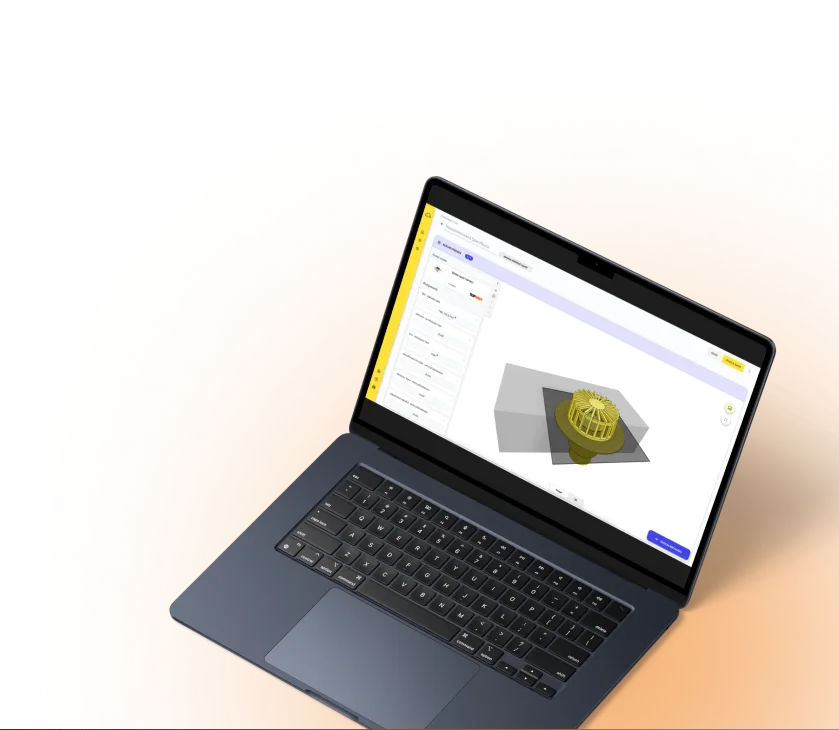
One of the key tools of the bimproject.cloud platform is the 3D roof drain assembly configurator, which helps designers and architects easily select the right solution and use it further within the project.
COMPONENT SELECTION
The designer assembles a specific configuration according to the design requirements - from the drain body and cover to extension elements for insulation, drainage rings, or cover extensions.
INSTANT 3D PREVIEW
Every change is immediately reflected in the 3D visualization, making it easier to understand the design, coordinate internally, and communicate with the client.
SAVE AND EXPORT
The completed configuration can be saved, exported as a PDF, and used as a clear reference for further work within the project.
GENERATING BIM OBJECT
From the configuration, a native BIM object can be generated for software such as Revit or Archicad.
READY FOR THE PROJECT
The resulting object is ready to be inserted into the project, including the option to select which parameters will be included in the model.
Video guide for working with the configurator
PARAMETER MAPPING FOR REVIT USERS
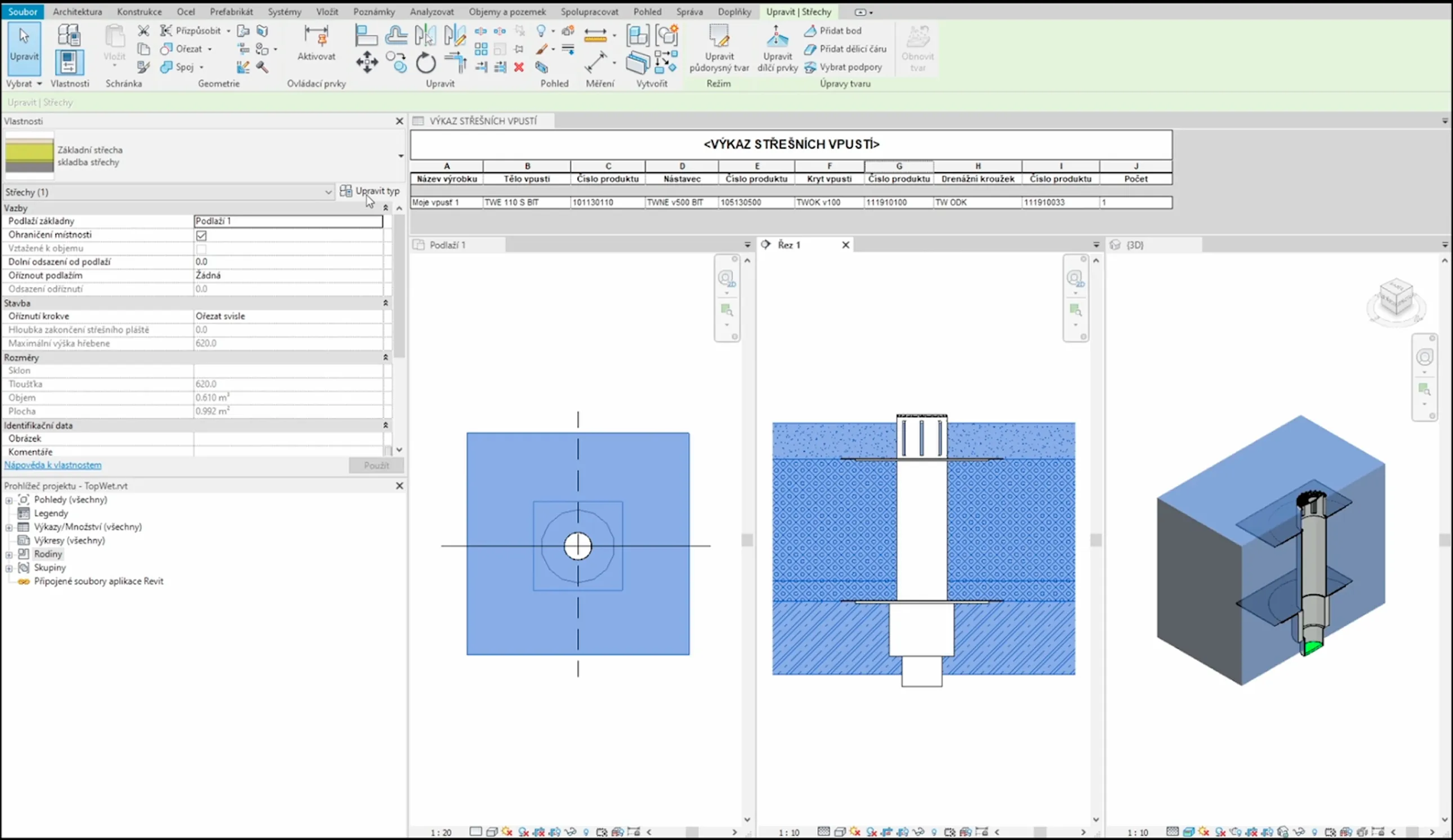
In the bimproject.cloud environment, designers working in Autodesk Revit can easily align BIM model parameters with their own project standards.
By uploading a TXT file with shared parameters for a specific project, the available parameters can be mapped so that both names and data structure comply with the internal standards of the design studio or engineering office.
The result is a consistent BIM model without unnecessary duplicates or inconsistencies, which simplifies data coordination and saves time during project handover.
ACCESS TO BIM DATA AND COMPATIBILITY
TOPWET BIM data can be used in two main ways - via plugins for design software or through standalone BIM libraries.
plugins for design software
free download for Revit, Archicad, and Allplan
they update automatically after installation
ensuring an up-to-date component catalog
the platform is available in 10 language localizations
the user interface is available in 12 languages
a suitable solution for international projects as well
Standalone BIM libraries
available for download in ZIP format
suitable for users who prefer working with data in bulk
compatible with Revit 2018 and later
they allow you to prepare a large-scale model with a complete TOPWET component catalog
applicable for both design and potential building management
FAQ
BIM (Building Information Modeling) is a digital design methodology that combines building geometry with relevant data about its elements. For designers, it means better coordination, higher efficiency, and the ability to manage a building throughout its entire lifecycle.
TOPWET provides a 3D roof drain configurator, parametric BIM objects for its products, parameter mapping for Revit users, and plugins for easy insertion of components into BIM models.
TOPWET provides a 3D roof drain configurator, parametric BIM objects for its products, parameter mapping for Revit users, and plugins for easy insertion of components into BIM models.
Yes, both the plugins and the configurator are provided free of charge and allow for quick insertion of products into a BIM model without additional licensing costs.